


Skip to content
ByeCut

AI editing on iPhone

Film on your iPhone. Let AI do the first cut.

Film the retakes, pauses and false starts. ByeCut picks your strongest delivery and proposes a clean first cut, so you can review, caption and post from your iPhone.

Download on the App StoreGet it on Google Play

AI Edit · 7-day free trial
See monthly plans

Using Android? Explore AI Edit for both platforms

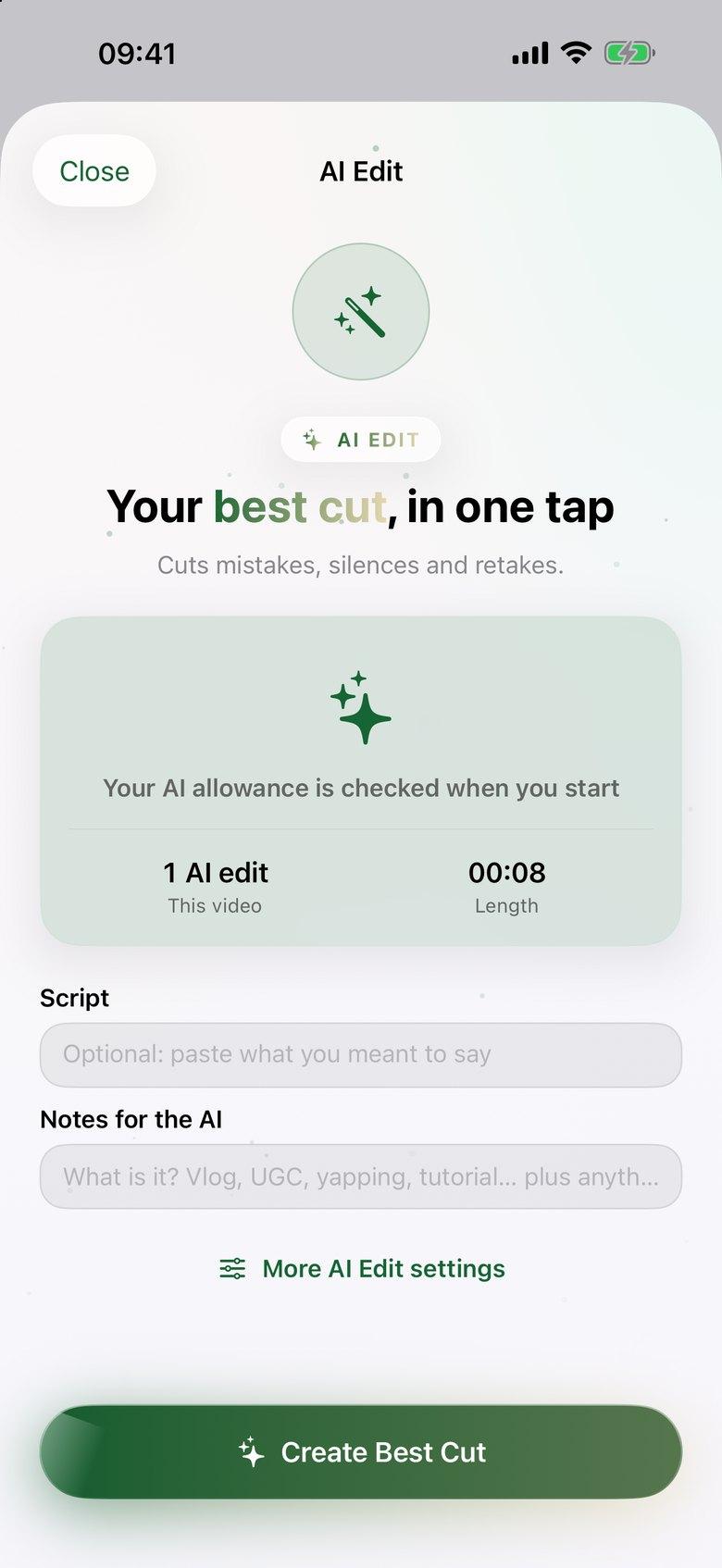
ByeCut AI Edit setup screen with optional script and notes fields and a Create Best Cut button
RAW · 1:12CUT · 0:38 · READY TO POST AI Edit

AI video editor for iPhone in three steps.

  1. Step 1

    Bring in your raw takes

    Import one recording or several clips from Photos or Files. Add your script or notes if you have them; you can also work without a script.

  2. Step 2

    Run AI Edit

    ByeCut compares repeated lines, removes weaker takes, silences and filler words, and proposes a first cut. Follow progress on your iPhone's Lock Screen while it works.

  3. Step 3

    Review, caption and export

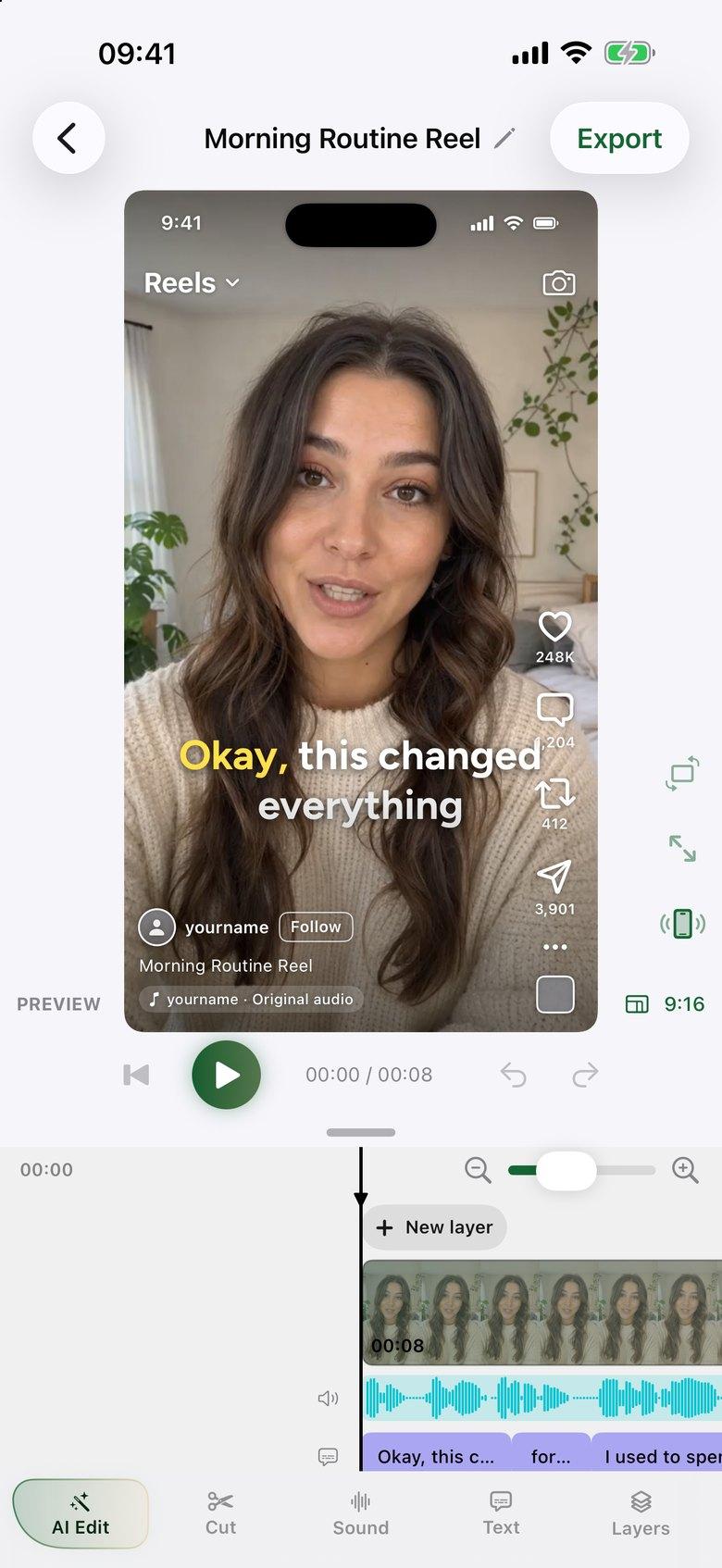
    Compare RAW with CUT before applying the edit. Adjust the timeline, add word-by-word captions and export your video with no watermark.

For creators whose camera roll is ahead of their posting schedule

A talking-head Reel, tutorial or UGC ad often needs the same first pass: find the usable lines, choose between retakes and remove the gaps. AI Edit handles that pass together. You still choose the final pacing, add context and approve the edit.

Film a batch of videos on your iPhone, then bring each recording into ByeCut. The result stays on an editable timeline, so a first cut is a starting point you control.

The trial includes AI editing, not just the manual editor

AI Edit is included in ByeCut's paid plans. Eligible new subscribers can try a monthly plan with a 7-day free trial; the number of trial AI edits depends on the plan. One AI edit covers up to 6 minutes of raw footage.

The timeline editor, captions, background removal and exports are free without a subscription. Choose an AI Edit plan when you want ByeCut to assemble the rough cut for you; the App Store shows your local price and trial terms.

What stays on your iPhone

Your video files, timeline editing, captions and exports stay on the device. AI Edit sends audio-only copies, the transcript and any script or notes to its AI service to compare takes. That material isn't used for training and is deleted within 30 days.

Questions, answered.

Does ByeCut edit videos automatically on iPhone?

Yes. AI Edit builds a proposed cut from your raw talking-head footage. You review it before applying it and can keep editing the result by hand.

Is the iPhone AI video editor free?

Manual editing, captions and exports are free. Automatic AI edits require a paid plan, with a 7-day trial on monthly plans for eligible subscribers.

Which iPhones can use ByeCut?

ByeCut requires iOS 26 or later. It is also available on iPad with iPadOS 26 or later.

Say bye to editing. Get your evenings back.

Your next video is already sitting in your camera roll. Drop it into ByeCut and get a clean, captioned cut back in minutes. Every plan starts with a 7-day free trial.

Download on the App StoreGet it on Google Play

5.0Rating on
App Store

Free download · No watermark · iPhone, iPad & Android

ByeCut: AI Video EditorEdit in minutes · Free downloadDownload