ByeCut
Use cases
One AI video editor for every short-form platform
Whether you post TikToks, Reels, Shorts or client UGC, ByeCut gets you from raw footage to a finished video faster.
TikTok
The AI TikTok editor that does the boring part for you
Edit TikToks faster with AI. ByeCut cuts your pauses and retakes, adds trending word-by-word captions and exports 9:16 in 4K, all on your iPhone or Android phone.
Learn moreInstagram Reels
Edit Instagram Reels in minutes with AI
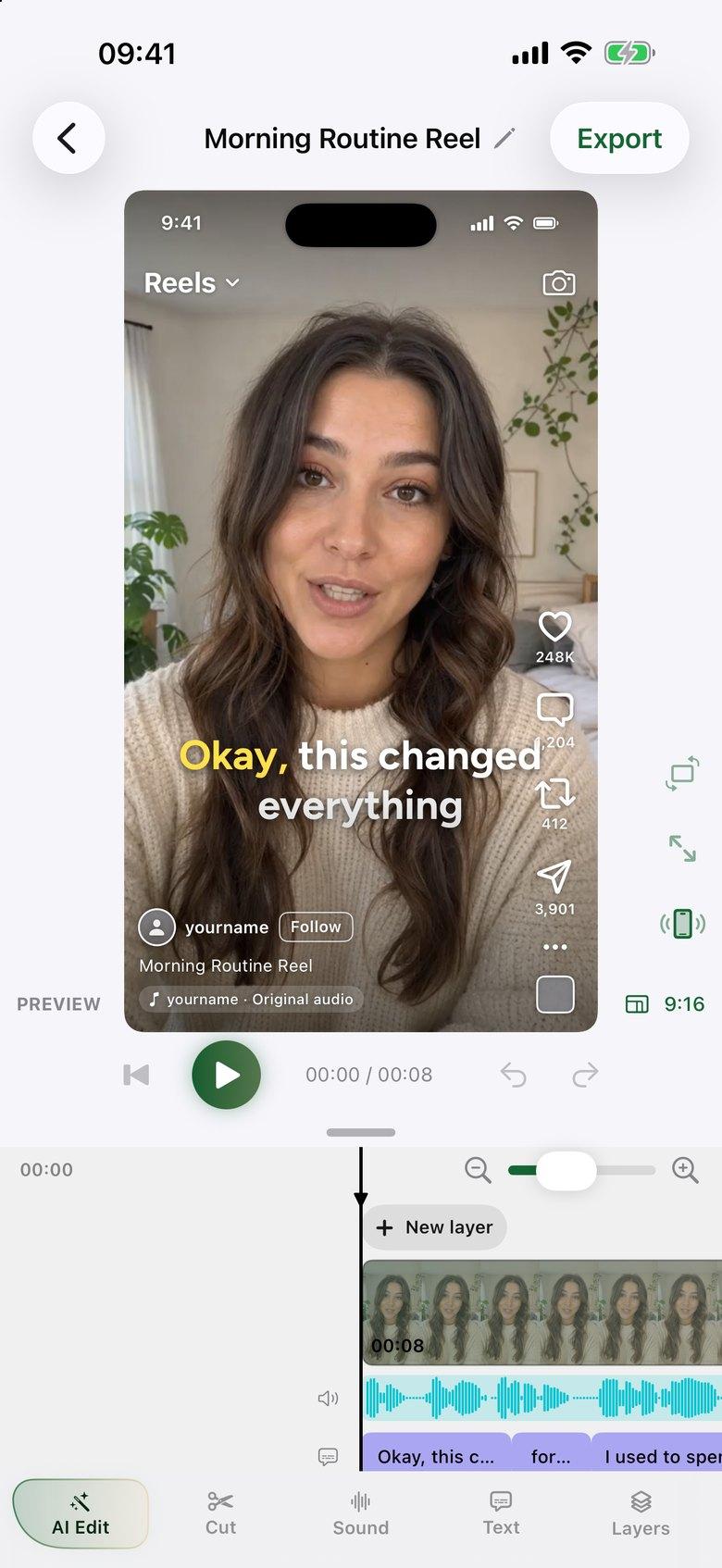
Make Instagram Reels in minutes. ByeCut's AI removes mistakes and silences, adds captions, and shows a live Reels preview so you know exactly how it will look.
Learn moreYouTube Shorts
Make YouTube Shorts faster with an AI editor
Create YouTube Shorts faster with AI editing. Cut retakes and pauses automatically, add captions, export vertical 4K video, and upload from your phone.
Learn moreTalking-head videos
The fastest way to edit talking-head videos
The fastest way to edit talking-head videos on iPhone or Android. ByeCut's AI builds your rough cut from every take, removes mistakes and silences, and adds captions.
Learn moreUGC creators
Edit UGC ads in minutes, straight from the brand's script
Edit UGC ads faster. Paste the brand's script, import your takes, and ByeCut's AI picks the best delivery of every line. Then add captions and export.
Learn moreCoaches
Share what you know without spending your evenings editing
Coaches and consultants: film one messy take and let ByeCut cut the pauses and retakes and add captions, so posting expert videos takes minutes, not evenings.
Learn moreCourse creators
Record your lessons once. Skip the slow part.
Edit course lessons on iPhone or Android. ByeCut matches your takes to your script, removes mistakes and pauses, adds captions and exports 16:9 up to 4K with no watermark.
Learn morePodcast clips
Turn the best moment of your podcast into a clip people finish
Turn a podcast moment into a captioned vertical clip on iPhone or Android. ByeCut cuts pauses and filler words, adds word-by-word captions and has no watermark.
Learn moreReal estate
Post listing videos between showings, not after dinner
Real estate agents: film market updates and listing intros on iPhone or Android. ByeCut cuts mistakes and pauses, adds captions and stabilizes clips, with no watermark.
Learn moreYouTube videos
Edit your full YouTube video on the phone you filmed it with
Edit full YouTube videos on iPhone or Android. ByeCut removes retakes and dead air from talking-head footage and exports 16:9 up to 4K with no watermark.
Learn moreBeginners
Never edited a video? You can post one today.
New to editing? ByeCut's AI Edit makes the cuts for you and adds captions in one tap. No timeline skills needed, and the full editor is there later.
Learn moreScripted videos
Paste your script. Keep the best take of every line.
Read from a script? Paste it into ByeCut. AI Edit matches each line to your best take and removes the repeats, so your video follows the script.
Learn moreLinkedIn
Share your expertise on LinkedIn without a video team
Make LinkedIn videos on iPhone or Android without an editor. ByeCut cuts pauses and retakes, adds captions for muted viewing and exports square or 4:5 video.
Learn moreSmall business
Post videos for your business without hiring an editor
Film offers, tips and product intros on iPhone or Android. ByeCut cuts the mistakes, adds captions and exports for every platform, with no editor to hire.
Learn moreOther languages
Film in your own language. The editing still happens for you.
Edit talking videos in languages beyond English. ByeCut's AI Edit detects the spoken language automatically and adds captions on your iPhone or Android phone.
Learn more
Say bye to editing. Get your evenings back.
Your next video is already sitting in your camera roll. Drop it into ByeCut and get a clean, captioned cut back in minutes. Every plan starts with a 7-day free trial.



5.0Rating on
App Store
5.0Rating on the
App Store

Free download · No watermark · iPhone, iPad & Android