ByeCut
The rough cut, done for you
Editing a talking-head video mostly means finding the good bits: the take where you nailed the line, the moment you stopped pausing. ByeCut does that first pass so you start from a clean cut instead of a raw file.
For talking-head video
Talking-head videos are easy to film and tedious to edit. ByeCut was built for exactly this: face-to-camera footage with retakes, pauses and stumbles, turned into a clean cut automatically.

Free editor · No watermark
First AI edit on us
Editing a talking-head video mostly means finding the good bits: the take where you nailed the line, the moment you stopped pausing. ByeCut does that first pass so you start from a clean cut instead of a raw file.
Add punch-in zooms, B-roll and photo overlays, background music, voiceover and colour adjustments. Stabilize handheld footage and apply subtle on-device face retouch.
ByeCut is built for anyone who talks to the camera:
ByeCut is designed for short-form output from talking-head footage. You can import long recordings; longer footage uses more of your AI Edit allowance.
Edit UGC ads faster. Paste the brand's script, import your takes, and ByeCut's AI picks the best delivery of every line. Then add captions and export.
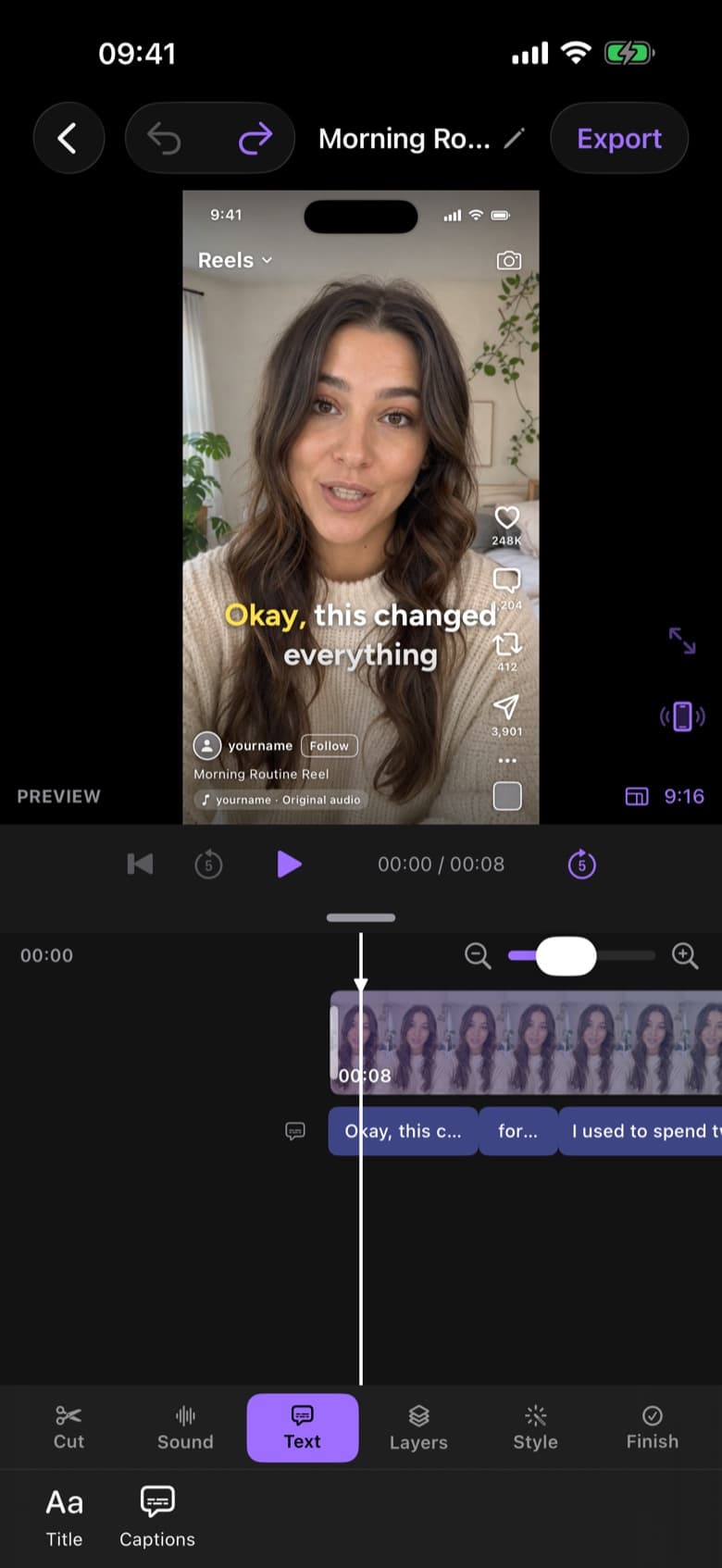
Edit TikToks faster with AI. ByeCut cuts your pauses and retakes, adds trending word-by-word captions and exports 9:16 in 4K, all on your iPhone.
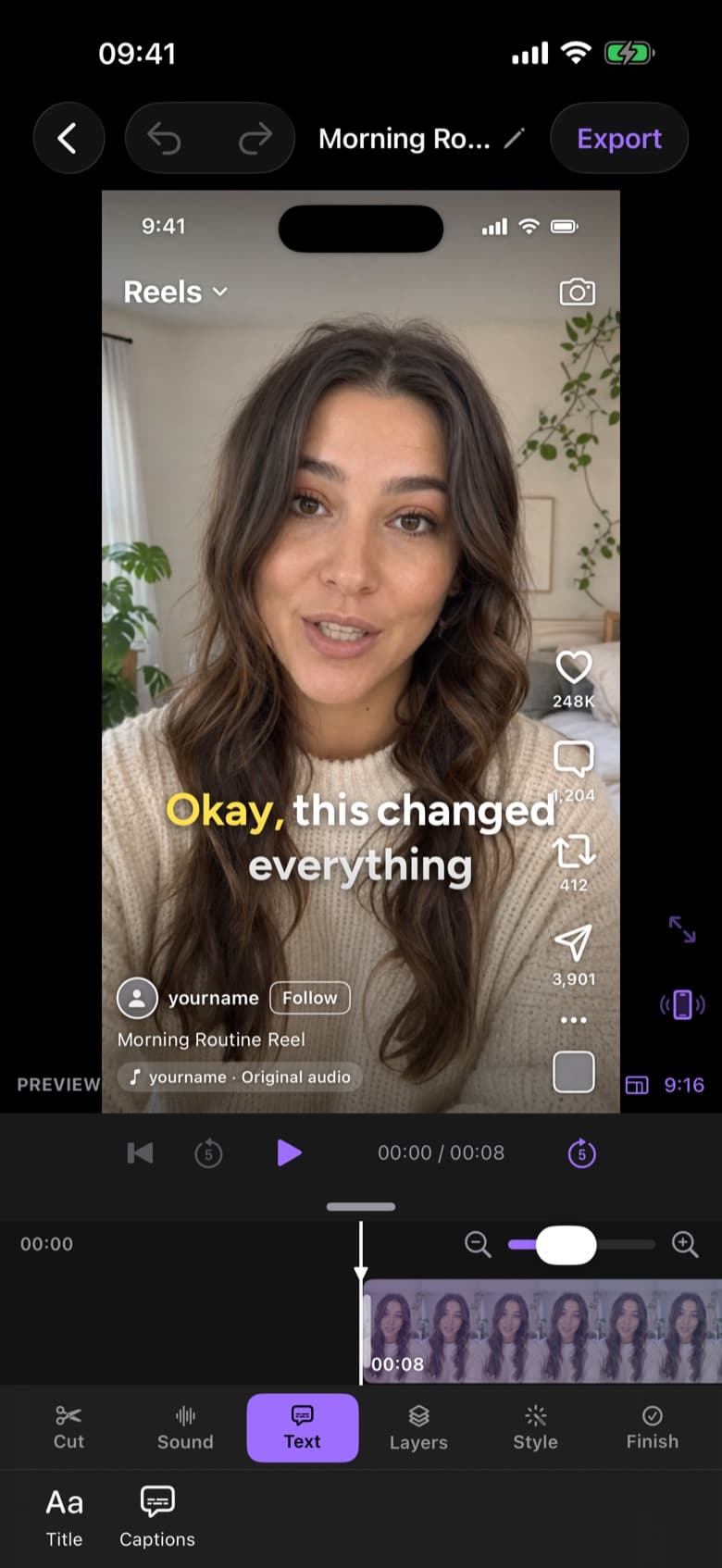
Make Instagram Reels in minutes. ByeCut's AI removes mistakes and silences, adds captions, and shows a live Reels preview so you know exactly how it will look.
Your next video is already sitting in your camera roll. Drop it into ByeCut and get a clean, captioned cut back in minutes. Your first AI edit is free.
Free download · No watermark · iPhone & iPad
 ByeCut: AI Video EditorEdit in minutes · Free downloadDownload