ByeCut
Captions generated on your iPhone
ByeCut uses Apple's on-device speech recognition to create captions, so your audio isn't uploaded just to add subtitles. Captions are free and unlimited. They're part of the free editor, not AI Edit.
Auto captions
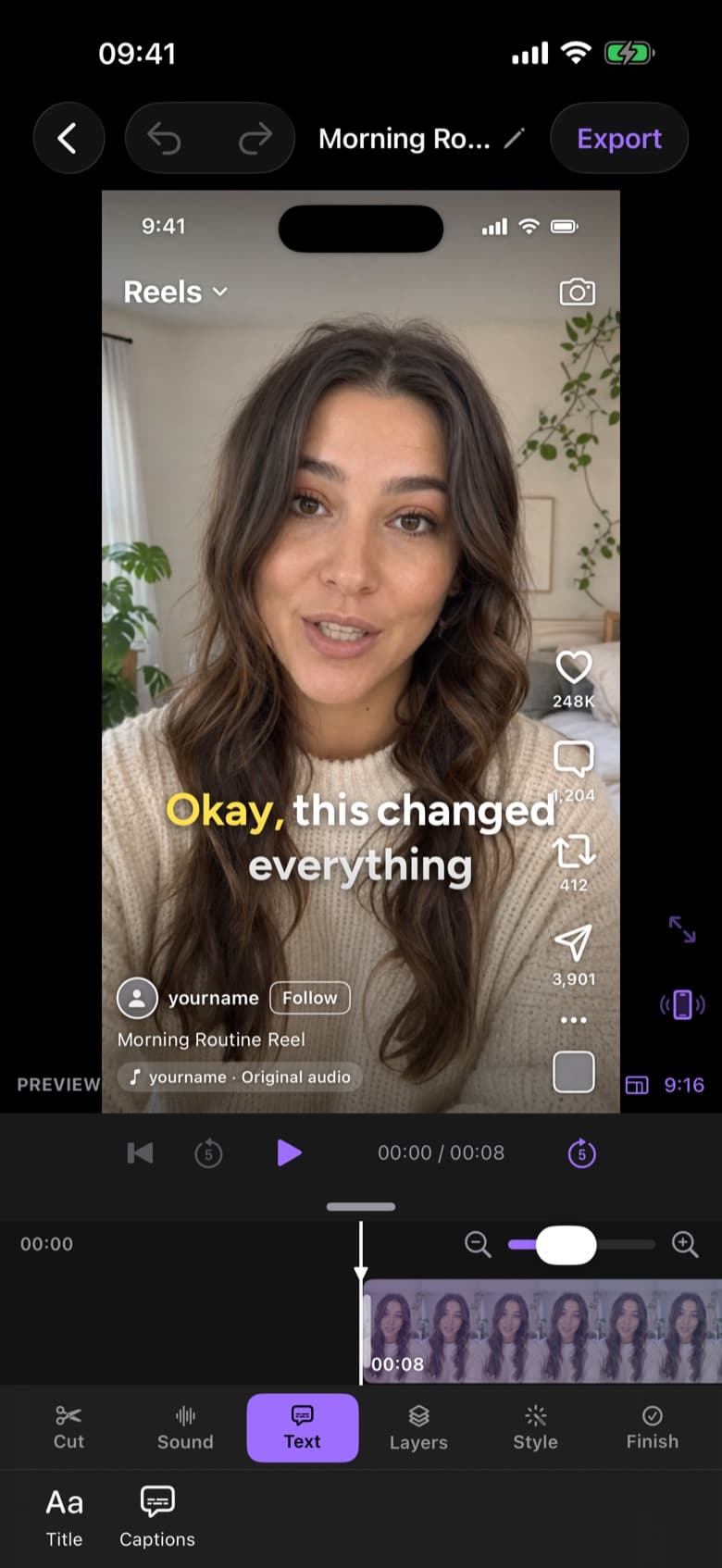
Most people watch short-form video with the sound off. ByeCut generates captions timed to every word, on your iPhone, and styles them in one tap with the looks you see on TikTok and Reels.

Free editor · No watermark
First AI edit on us
Step 1
Tap Captions and ByeCut transcribes your video on-device with word-level timing.
Step 2
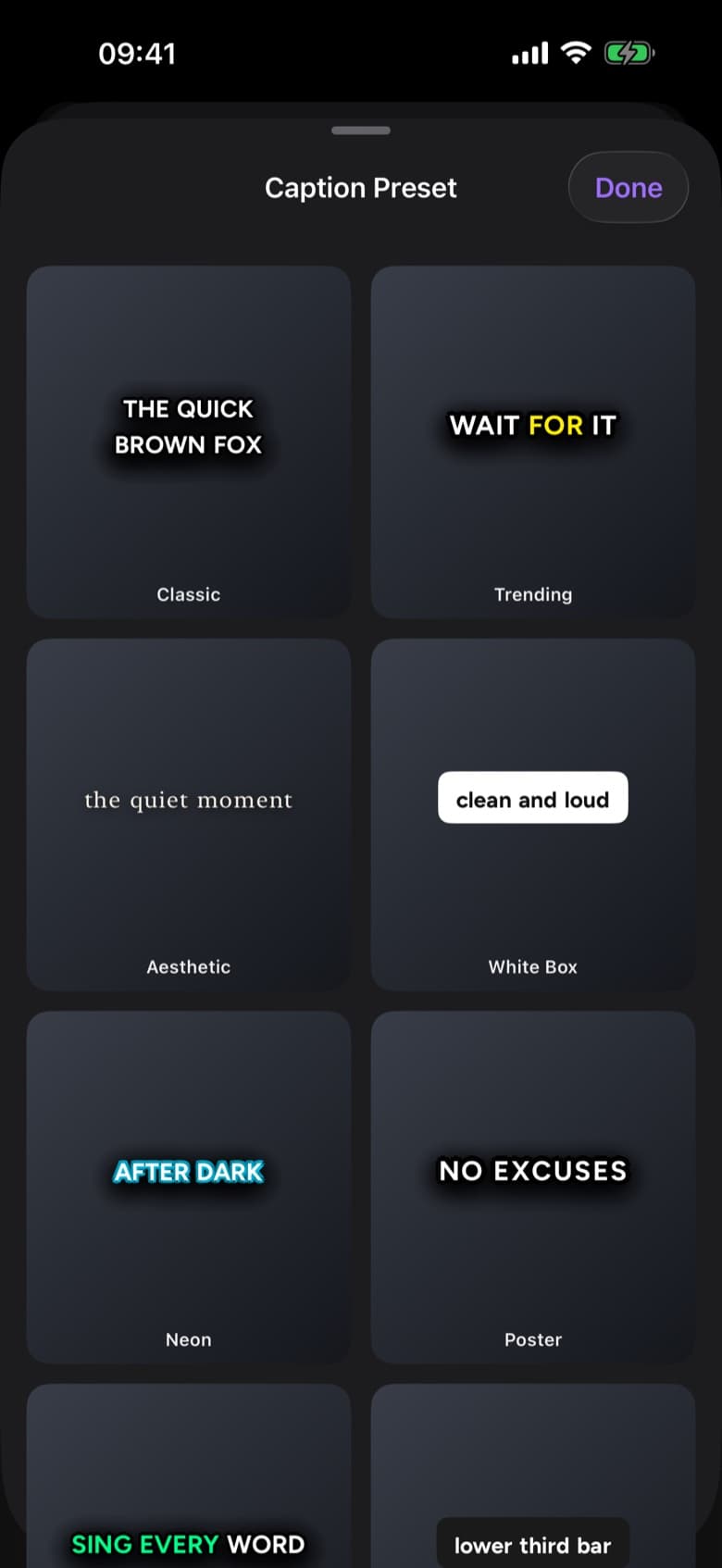
Choose from 20+ presets (Classic, Trending, White Box, Karaoke, Poster and more) and see it live on your video.
Step 3
Tap a caption to correct spelling, names or slang. Timing stays locked to your speech.
ByeCut uses Apple's on-device speech recognition to create captions, so your audio isn't uploaded just to add subtitles. Captions are free and unlimited. They're part of the free editor, not AI Edit.
Highlight the active word, pop words in one at a time, or use a bold boxed style for maximum readability. Adjust font, colour, size and position to match your brand.
Trim a clip or let AI Edit cut your filler words and the captions follow automatically. You can also export an SRT subtitle file for YouTube or other platforms.
Yes. Captions, the timeline editor and exports are free and unlimited. Only AI Edit uses an allowance.
Captions use Apple's speech recognition, so they support the languages your iPhone's on-device transcription supports, including English, Spanish, French, German and many more.
Yes, ByeCut can export captions as an SRT file alongside burned-in captions on the video.
ByeCut's AI finds and cuts filler words like um, uh and false starts from your talking-head videos, so you sound confident without re-recording.
ByeCut's AI Edit listens to every take, cuts mistakes, retakes and dead air, and assembles your best delivery of every line, automatically, on iPhone.
Cut yourself out of any video with on-device background removal, chroma key or masks. Swap the background, add text behind you and export in 4K.
Your next video is already sitting in your camera roll. Drop it into ByeCut and get a clean, captioned cut back in minutes. Your first AI edit is free.
Free download · No watermark · iPhone & iPad
 ByeCut: AI Video EditorEdit in minutes · Free downloadDownload