 ByeCut
See it before you post
ByeCut's live Reels preview overlays Instagram's interface on your video while you edit, so captions and key visuals stay clear of the buttons and caption area.
For Instagram Reels
ByeCut turns raw talking-head footage into a polished Reel: best takes, no dead air, captions that pop, and a live Reels preview so you see exactly what your followers will see.

Free editor · No watermark
First AI edit on us
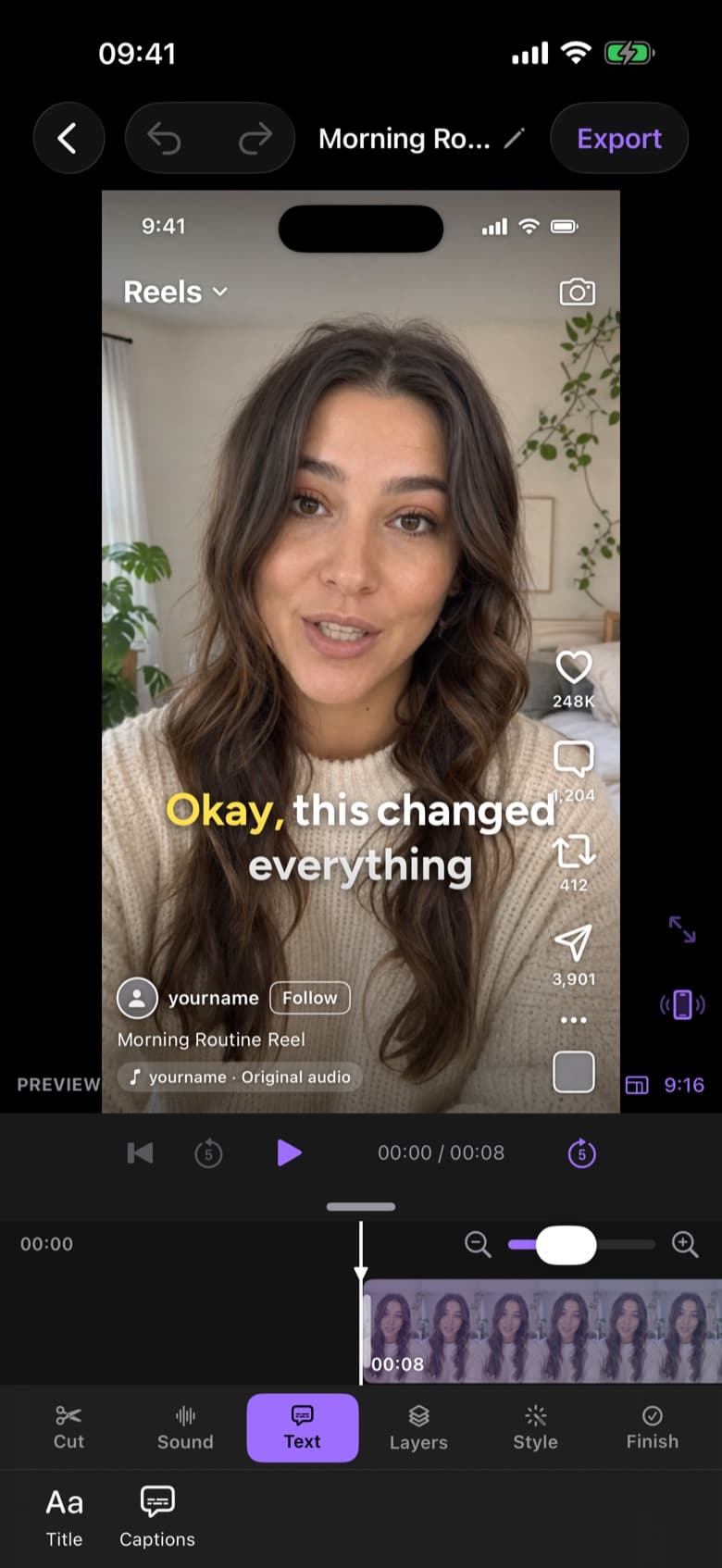
ByeCut's live Reels preview overlays Instagram's interface on your video while you edit, so captions and key visuals stay clear of the buttons and caption area.
AI Edit listens to every take, removes filler words and pauses, and assembles your best delivery. Add music, text, overlays and filters on a full timeline, then export in 4K.
Reels are 9:16, but ByeCut also supports 4:5 for feed posts, 1:1, 16:9 and custom canvases, so one project can become every format you need.
9:16 vertical at 1080 × 1920. Keep important text away from the bottom fifth, where Instagram shows your caption and buttons. ByeCut's safe-area guides show you where.
Yes. After exporting, share to Instagram, TikTok or YouTube Shorts right from ByeCut's export screen.
Edit TikToks faster with AI. ByeCut cuts your pauses and retakes, adds trending word-by-word captions and exports 9:16 in 4K, all on your iPhone.
Create YouTube Shorts faster with AI editing. Cut retakes and pauses automatically, add captions, export vertical 4K video, and upload from your iPhone.
Edit UGC ads faster. Paste the brand's script, import your takes, and ByeCut's AI picks the best delivery of every line. Then add captions and export.
Your next video is already sitting in your camera roll. Drop it into ByeCut and get a clean, captioned cut back in minutes. Your first AI edit is free.
Free download · No watermark · iPhone & iPad
 ByeCut: AI Video EditorEdit in minutes · Free downloadDownload