 ByeCut
Pacing that holds attention
TikTok rewards videos people watch to the end. ByeCut removes dead air and false starts so every second moves, then lets you add jump cuts, zooms and speed changes for extra punch.
For TikTok
Talk to the camera, flub a few lines, and let ByeCut turn it into a tight, captioned TikTok. Silences, filler words and retakes are gone before you open the timeline.

Free editor · No watermark
First AI edit on us
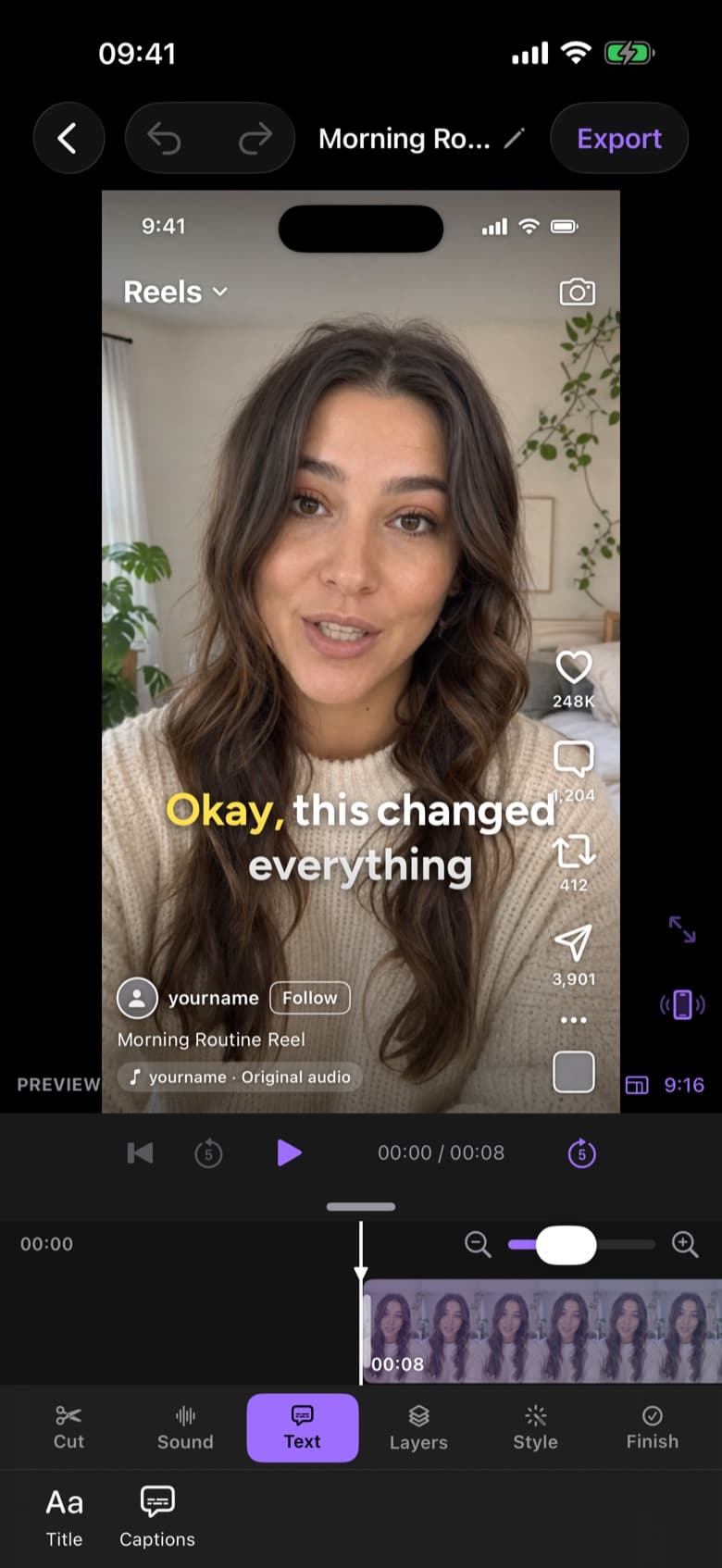
TikTok rewards videos people watch to the end. ByeCut removes dead air and false starts so every second moves, then lets you add jump cuts, zooms and speed changes for extra punch.
Word-by-word animated captions in one tap, with safe-area guides so your text never hides behind the like button, caption or username.
Export vertical video up to 4K at 60 fps with HEVC, then share straight to TikTok from the export screen. No watermark on your exports.
No. Your exports are clean, with no ByeCut watermark, on the free plan too.
1080 × 1920 at 30 or 60 fps is TikTok's standard. ByeCut can export up to 4K, and TikTok will scale it down.
Make Instagram Reels in minutes. ByeCut's AI removes mistakes and silences, adds captions, and shows a live Reels preview so you know exactly how it will look.
Create YouTube Shorts faster with AI editing. Cut retakes and pauses automatically, add captions, export vertical 4K video, and upload from your iPhone.
The fastest way to edit talking-head videos on iPhone. ByeCut's AI builds your rough cut from every take, removes mistakes and silences, and adds captions.
Your next video is already sitting in your camera roll. Drop it into ByeCut and get a clean, captioned cut back in minutes. Your first AI edit is free.
Free download · No watermark · iPhone & iPad
 ByeCut: AI Video EditorEdit in minutes · Free downloadDownload