ByeCut
 vs CapCut: a smarter first cut for talking-head videos
Film the idea. Repeat a line until it lands. Let ByeCut find your strongest takes, cut the dead air and shape a coherent first cut, so your editing hours go back to creating.
By the ByeCut team · Updated · 7 min read
For creators who film talking-head videos with repeated lines, false starts and a script to get through, we believe ByeCut is the better AI-editing choice than CapCut. AI Edit is built around the decisions that make this footage work: which delivery to keep, what the speaker means, and how the ideas connect. It handles that first cut so you can review the story instead of rebuilding it clip by clip.
CapCut also has capable automation. Its Auto Cut documentation describes music-, speech- and prompt-driven editing, and its transcript editor supports speech cleanup. The reason to choose ByeCut is its focused workflow for turning your own messy takes into a clear, deliberate narration.
ByeCut vs CapCut at a glance
| Editing task | ByeCut | CapCut |
|---|---|---|
| Silences and filler words | AI Edit removes dead air, ums, false starts and weaker retakes as part of the first cut. | Documents speech-pause detection in Auto Cut and filler-word cleanup in its transcript/caption tools. |
| Repeated takes of the same line | Compares competing takes and selects a delivery for each part of the narration. | The cited Auto Cut and transcript guides do not document the same line-by-line delivery-selection workflow. |
| Following your idea and script | Matches a pasted script to your recorded lines, or plans the story from what you said; reviews the assembled audio for coherence. | Auto Cut supports speech and text prompts in supported versions; transcript editing lets you change the spoken content through text. |
| Review and control | Compare RAW with CUT before applying it, then refine the result on an editable timeline. | Review the generated sequence and refine it with timeline tools. |
| Where you edit | This comparison covers ByeCut on iPhone and iPad with iOS 26 or later, and on Android 10 or later. | Auto Cut is documented for mobile and desktop; availability varies by version and rollout. |
Keep the strongest take of every line
You say the hook five times. One take has the right energy, another has a cleaner ending, and the last one sounds tired. Choosing the right performance is the time-consuming part: you have to watch, compare and remember every version before making the cuts.
ByeCut's best-take selection compares the alternatives for each line and builds the cut from the selected performances. The last take does not automatically win. With a script, AI Edit matches what you intended to say to what you actually recorded, so you can concentrate on delivering the line while filming.
A first cut that follows the idea behind your video
A hook needs its explanation. A claim needs its context. The ending needs to finish the thought. ByeCut's AI Edit works with the meaning and progression of the narration as well as the gaps between words. Add your script or notes to give it direction, or let it work from the recorded speech.
Before presenting the result, ByeCut reviews the assembled audio as a viewer would hear it. That review checks the opening, joins, complete thoughts and ending, looking for clipped words, accidental repetitions, incompatible takes and changes to the intended meaning. You still make the final decision by reviewing the proposed cut before applying it.
Cut the dead air. Keep your delivery.
ByeCut combines silence removal, filler-word removal and take selection in AI Edit. Long gaps, ums, abandoned starts and weaker repeats are handled together, reducing the separate cleanup passes you would otherwise make through the footage.
CapCut also offers speech cleanup: its filler-word tool describes detecting candidates through Auto captions for review and removal. ByeCut's advantage for this workflow is bringing cleanup, performance selection and narrative assembly into one proposed first cut.
How much editing time could ByeCut save?
If you spend an hour watching retakes, trimming gaps and assembling each talking-head video by hand, the opportunity is substantial. ByeCut's current planning model allows 10% of your manual editing time for review and finishing, with a minimum of two minutes. That estimates 54 minutes back from a one-hour edit, or 90% less hands-on editing time.
| Your manual editing time | Estimated time with ByeCut | Estimated time back per video |
|---|---|---|
| 30 minutes | 3 minutes | 27 minutes |
| 60 minutes | 6 minutes | 54 minutes |
| 120 minutes | 12 minutes | 1 hour 48 minutes |
At five videos a week and one hour of manual editing each, that model gives you 4.5 hours back every week, about 20 hours a month or 234 hours a year. Change the numbers below to see the estimate for your own posting schedule.
These are illustrative estimates from ByeCut's time-savings model, not measured CapCut-versus-ByeCut results. They describe hands-on editing time; AI processing and export can add waiting time. Your actual saving depends on the footage, edit complexity and how much finishing you choose to do. Time the same project in both apps to measure your own result.
That's about 6 min per video with ByeCut. AI Edit does the cutting; a quick review stays with you, so we count 10% of your current editing time, the same estimate the app uses.
Time you get back
hours a month
- hours a week
- 4.5
- hours a week
- hours a year
- 234
- hours a year
- full workdays a year
- 29
- full workdays a year
From messy recording to a video you can post
- Import your raw takes from your camera roll or files. Keep the repeated lines and false starts in the recording.
- Add your script or notes, then run AI Edit. ByeCut selects takes, cleans up speech and assembles the narration.
- Review RAW against CUT and apply the edit when you are happy with it.
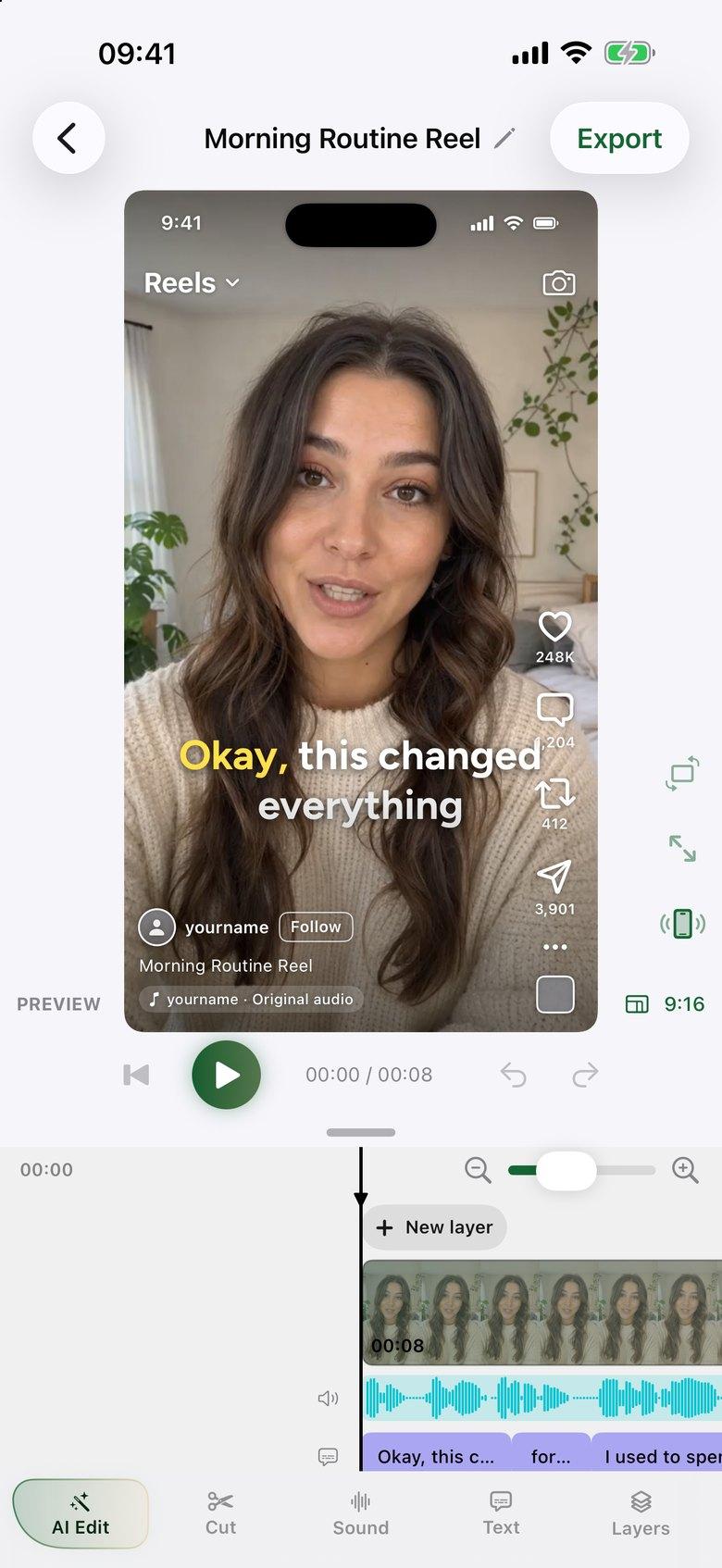
- Add word-by-word captions, polish the timeline and export with no watermark.
Which editor should you choose?
Choose ByeCut when the biggest job is turning multiple spoken takes into one confident story on your phone. For Reels, Shorts, UGC ads, tutorials and scripted videos, that is where we believe its AI Edit makes the biggest difference: it takes on the editorial decisions before you start polishing.
CapCut is worth considering if you need its desktop workflow or music-driven Auto Cut. Both apps let you refine the result yourself. The useful comparison is the time and work needed to get your own footage to a cut you would actually publish.
ByeCut's full manual editor, captions and watermark-free exports are free. AI Edit plans start at €19.99 per month in Germany, with a 7-day free trial for eligible new subscribers. One AI edit covers up to 6 minutes of raw footage. See current plans and trial allowances; the App Store and Google Play show your local price.
Sources and comparison notes
Written by the ByeCut team and checked against CapCut's public documentation on November 8, 2026. Our recommendation reflects the workflow ByeCut is built for; we have not conducted a controlled head-to-head quality or speed benchmark. A feature not described in the cited guides may still exist in another CapCut version. CapCut is not affiliated with or endorsing ByeCut.
FAQ
Is ByeCut better than CapCut for talking-head videos?
We believe ByeCut is the better fit when your main task is choosing between repeated spoken takes and turning them into a coherent first cut. It combines best-take selection, script matching, silence removal and an assembled-audio review. CapCut also has AI cutting and speech-cleanup tools; the best choice depends on your footage and workflow.
Does CapCut also remove silences and filler words?
Yes. CapCut documents speech-pause detection in Auto Cut and filler-word cleanup through its transcript and caption tools. ByeCut combines that cleanup with take selection and narrative assembly in AI Edit.
How much time does ByeCut save compared with editing by hand?
ByeCut's planning model estimates 10% of your manual editing time for review and finishing, with a two-minute minimum. A 60-minute manual edit becomes an estimated six minutes, saving 54 minutes. This is an estimate, not a measured comparison with CapCut, and actual results vary.
Can ByeCut follow a script and choose my best takes?
Yes. Paste your script and AI Edit matches its lines to your recorded takes, compares the competing deliveries and assembles a proposed cut. It reviews the assembled audio for coherence and completeness before you review and apply it.