
Videos worth making
ByeCut works best when you or a team member speaks on camera:
- Introduce a product or service
- Answer the question customers ask most
- Announce an offer or opening hours
- Show the people behind the business
 ByeCut
5.0Rating on
App Store
For small business
You know your customers, but you don't have hours to edit. Film an offer, a tip or a product intro on your iPhone or Android phone, and ByeCut handles the cuts and the captions.


iPhone & Android · Free editor
7 days free on every plan
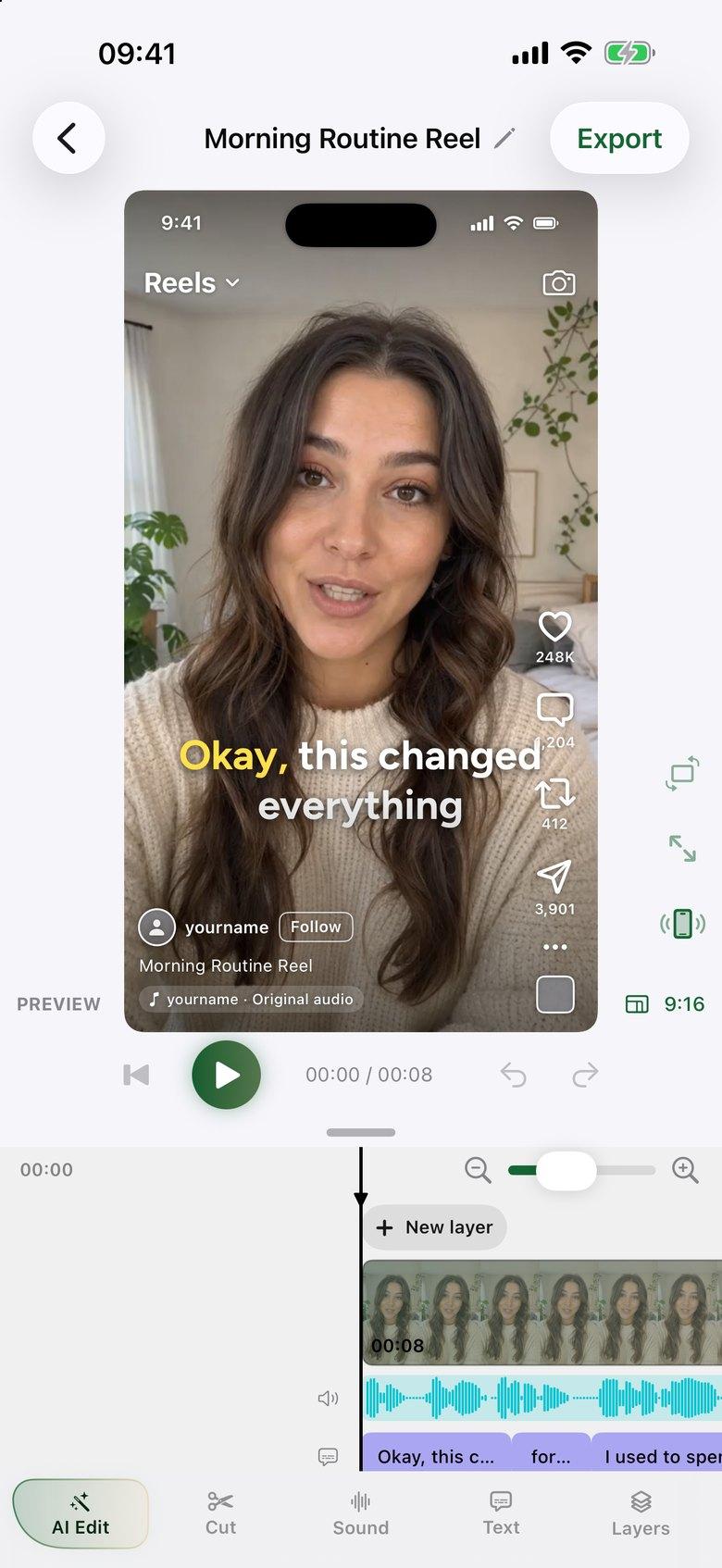
ByeCut works best when you or a team member speaks on camera:
Add your logo or product photos as overlays, put titles on screen, add music and use word-by-word captions for people watching on mute.
The editor is free with no watermark. Paid plans add a monthly allowance of AI edits, starting with a 7-day free trial, and you can cancel in your Apple Account or Google Play settings.
Film short talking videos on an iPhone or Android phone, import them into ByeCut and tap AI Edit to remove mistakes and pauses. Add captions, then export for each platform.
Yes. Add it as an image overlay and place it anywhere on the video.
Yes. Use the canvas that fits each platform. ByeCut shares directly to TikTok, Instagram and YouTube Shorts, and you can save to your phone for anywhere else.
Real estate agents: film market updates and listing intros on iPhone or Android. ByeCut cuts mistakes and pauses, adds captions and stabilizes clips, with no watermark.
Edit UGC ads faster. Paste the brand's script, import your takes, and ByeCut's AI picks the best delivery of every line. Then add captions and export.
Make Instagram Reels in minutes. ByeCut's AI removes mistakes and silences, adds captions, and shows a live Reels preview so you know exactly how it will look.
Your next video is already sitting in your camera roll. Drop it into ByeCut and get a clean, captioned cut back in minutes. Every plan starts with a 7-day free trial.
5.0Rating on
App Store
5.0Rating on the
App Store
Free download · No watermark · iPhone, iPad & Android
 ByeCut: AI Video EditorEdit in minutes · Free downloadDownload
