
A first cut without the scrubbing
Import your footage and tap AI Edit. It compares your takes of each line, keeps the strongest delivery and removes silences, filler words and false starts. Then you finish on the timeline.
 ByeCut
5.0Rating on
App Store
For YouTube
Long talking-head videos are mostly retakes and dead air. ByeCut clears those out with AI Edit, then gives you a real timeline to finish a 16:9 video on your iPhone or Android phone.


iPhone & Android · Free editor
7 days free on every plan
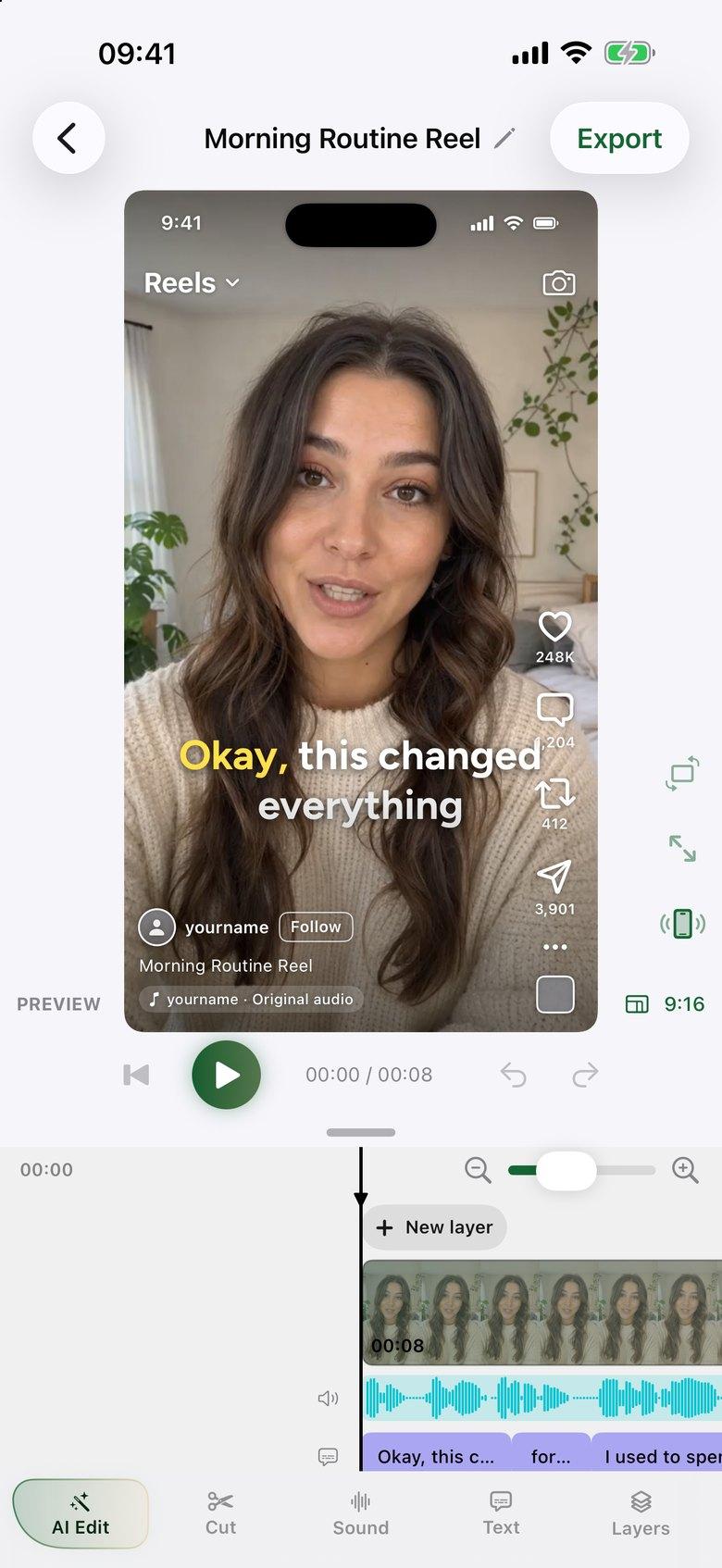
Import your footage and tap AI Edit. It compares your takes of each line, keeps the strongest delivery and removes silences, filler words and false starts. Then you finish on the timeline.
The editor is free, with no watermark:
One AI edit covers up to six minutes of raw footage, so 15 minutes of footage uses three AI edits. The app shows the cost before an edit starts. Manual editing on the timeline doesn't use any.
Yes. ByeCut has a multi-track timeline, 16:9 canvases and exports up to 4K at 60 fps, so you can edit and export a full video on your iPhone or Android phone.
Import the footage into ByeCut and tap AI Edit. It removes silences, filler words and false starts, and you review the result in the editor.
AI Edit works from speech, so it's best for talking-head videos. Footage without speech can still be edited by hand on the free timeline.
Create YouTube Shorts faster with AI editing. Cut retakes and pauses automatically, add captions, export vertical 4K video, and upload from your phone.
The fastest way to edit talking-head videos on iPhone or Android. ByeCut's AI builds your rough cut from every take, removes mistakes and silences, and adds captions.
Edit course lessons on iPhone or Android. ByeCut matches your takes to your script, removes mistakes and pauses, adds captions and exports 16:9 up to 4K with no watermark.
Your next video is already sitting in your camera roll. Drop it into ByeCut and get a clean, captioned cut back in minutes. Every plan starts with a 7-day free trial.
5.0Rating on
App Store
5.0Rating on the
App Store
Free download · No watermark · iPhone, iPad & Android
 ByeCut: AI Video EditorEdit in minutes · Free downloadDownload
